

What a pursuit holds
Your AI fills your pursuits from what it already knows about you (its memory of you, your files, your past conversations) before asking you anything, and cites where it found each one. You can also tell it directly: “I’m working toward opening a second studio by spring.”
When a pursuit ends it is marked ended, never erased.
Your biggest needle mover
One pursuit can be marked as your biggest needle mover: the one that, done, moves the others most. It shows first on your Home, and it is where your AIs put their effort. At the start of a conversation, after any work waiting for them, your AIs read your pursuits and act on the biggest needle mover. Choosing the move follows one rule: the most leverage, the move that changes your situation the most for the least time, energy, money and complexity. Your AI starts with a decision, then uses what is already kept in your Trillion, then your other data, and reaches for tools and people last.Progress
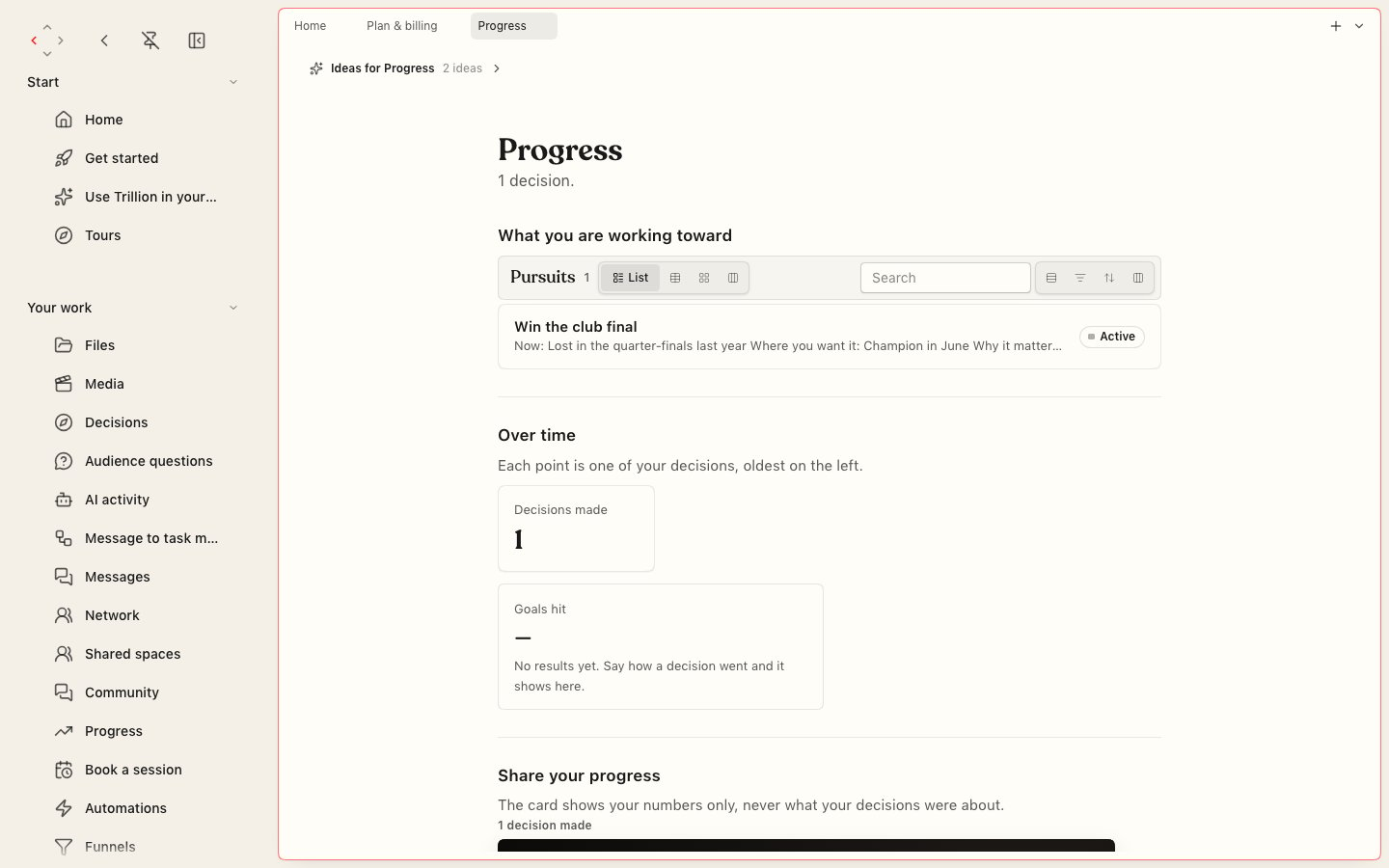
Progress: what you are working toward, your decisions over time, and a card to share your numbers.
- What you are working toward lists your pursuits.
- Over time plots your decisions, oldest on the left: how many you made, how long each took to decide, and how many of those with a result reached their goal. A decision counts toward goals hit once you say how it went.
- Share your progress makes a card with your numbers only, never what your decisions were about. Share it to X, LinkedIn, Facebook, WhatsApp, a text message or email, copy its link, or save the picture. Whoever opens the link sees only the numbers.