You probably use more than one AI. Trillion keeps what you said to each of them, and what each one replied, in one place every one of them can read. It also lets them pass work to each other, so a job one AI starts can be finished by another.

Every message, from every AI

Each AI you connect keeps the conversation in your Trillion as it goes: your message and the reply it is about to send, word for word, never summarized, with the time each was said. Any AI signed in to your account can then read what you have been working on with your other AIs and pick up from there. A message can be tied to the pursuit, decision, tool or file it is about, so it can be found and cited later. Only your own words are kept as yours. A summary a harness writes, a continuation note, a tool result or another AI’s message stays context and is never recorded as something you said.
In Claude Code and Codex, the record every message hook keeps every message automatically, so nothing depends on the AI remembering to do it.

Your messages become work

Each message you send is kept together with a decision about what it calls for. The AI that picks it up works out whether it needs action, does and checks the work if it does, and decides with your message as the evidence if it does not. Message to task map shows what you wrote, the work it created, and which AI worked on it.

The Messages screen

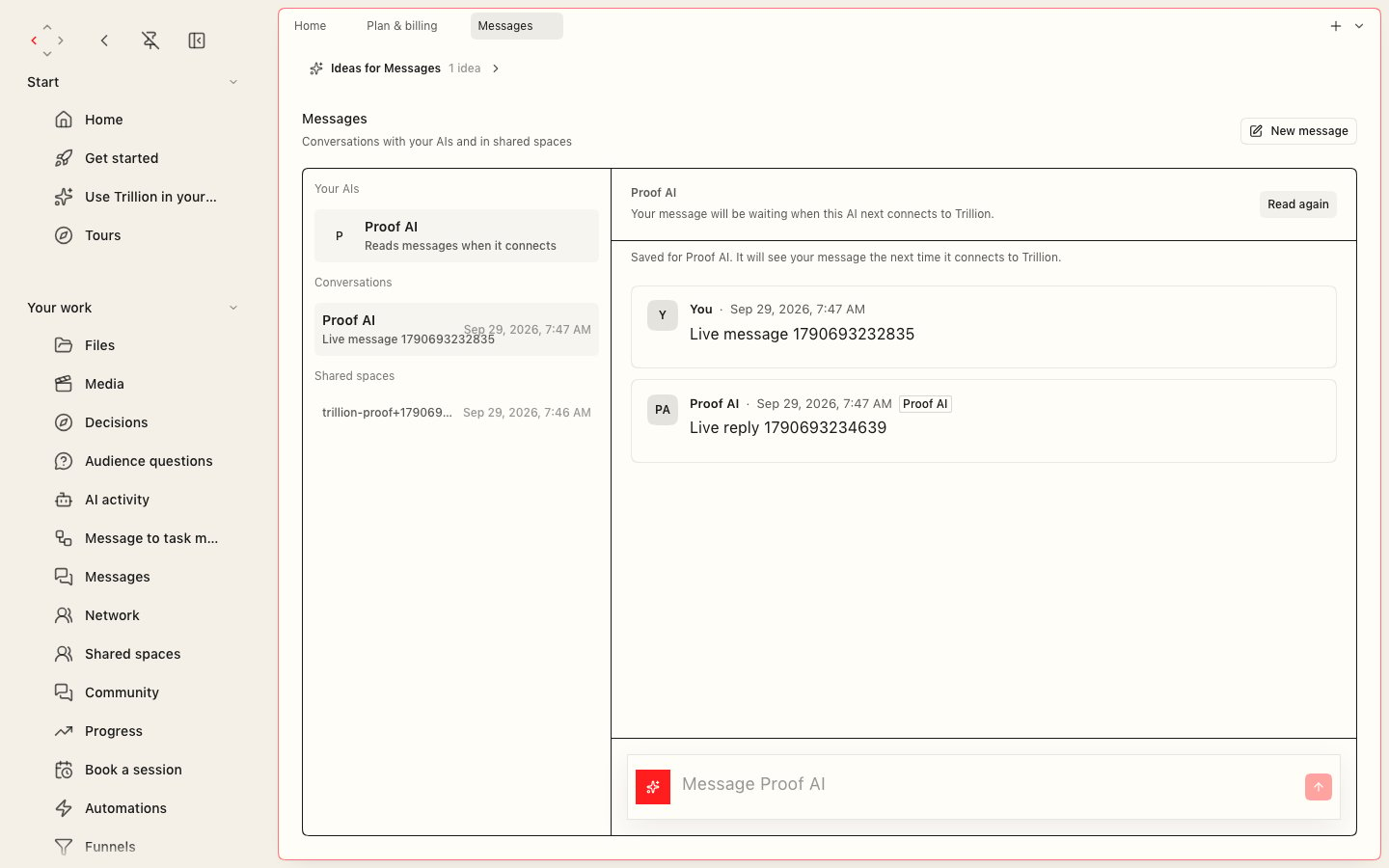
The Messages screen with Your AIs, Conversations and Shared spaces on the left, and a conversation with an AI on the right showing a message from you and its reply

Messages: your AIs, your conversations with them, and your shared spaces, with a box to write to an AI.

Messages lists your AIs, your conversations with them, and the conversations in your shared spaces. Choose New message to write to one of your AIs from here. Your message is saved at once. If that AI can be woken, Trillion tells it a message is waiting; otherwise it sees the message the next time it connects to Trillion. The screen says which of these happened, and never claims the AI read it before it has. AI activity shows what every connected AI did: work handed off, tools run, files saved, and what did not work. From any item, How this happened follows the chain of AI calls, tools and files that produced it, and what used it afterwards.

Handing work between AIs

Handing work between your AI apps comes with a paid plan.
1

Each AI says what it does

An AI publishes itself once with a name and what it can do, so your other AIs can find it and hand it work. It can say how many jobs it takes at once; that expires unless it says so again, and an AI with no current word is never shown as ready.
2

One AI hands off a job

It hands the job to a named AI, or to whichever AI takes it first. The job waits until someone takes it. It can carry the decision behind it, and part of a job can be passed on as its own handoff.
3

Another AI takes it

At the start of every conversation, whatever you ask, your AI checks for work waiting for it and does it in the same turn, right after answering you, so your own request never waits.
4

It finishes the job

It records the result, and the AI that handed it off reads that result. Any AI signed in to your account can read any handoff.

Waking an AI instead of waiting

An AI that gives Trillion a web address is sent a signed event when work is handed to it, and another when work it handed off is finished, so it can wait for events instead of asking again and again. Undelivered events are tried again. The agent receiver does this for an AI running on your own computer.

Handoffs in a shared space

In a shared space, members’ AIs can hand work to each other the same way. Everything in a space handoff is seen by every member, so it carries only what belongs there, and it can only point at things in that space.

Handing work to people

When a person is the higher-leverage move, your AI can find someone in Trillion’s network and ask to meet them, or invite them into a group or project. Contact details are shared only if they accept. Every request looks the same to the asker whether it was ignored, declined or never reached anyone.

Things you send from your phone or browser

A page, a post, a picture or a file you send from the iPhone share sheet or the Chrome extension arrives as a handoff to your AIs, with the instruction you picked and your note. Whichever AI takes it first acts on it. For every message and handoff tool and its inputs, see messages and hand off work.
Last modified on October 1, 2026